Product access and permissions
Give teammates access to the whole suite or selected products, and review their Clout Browser permissions.
On this page
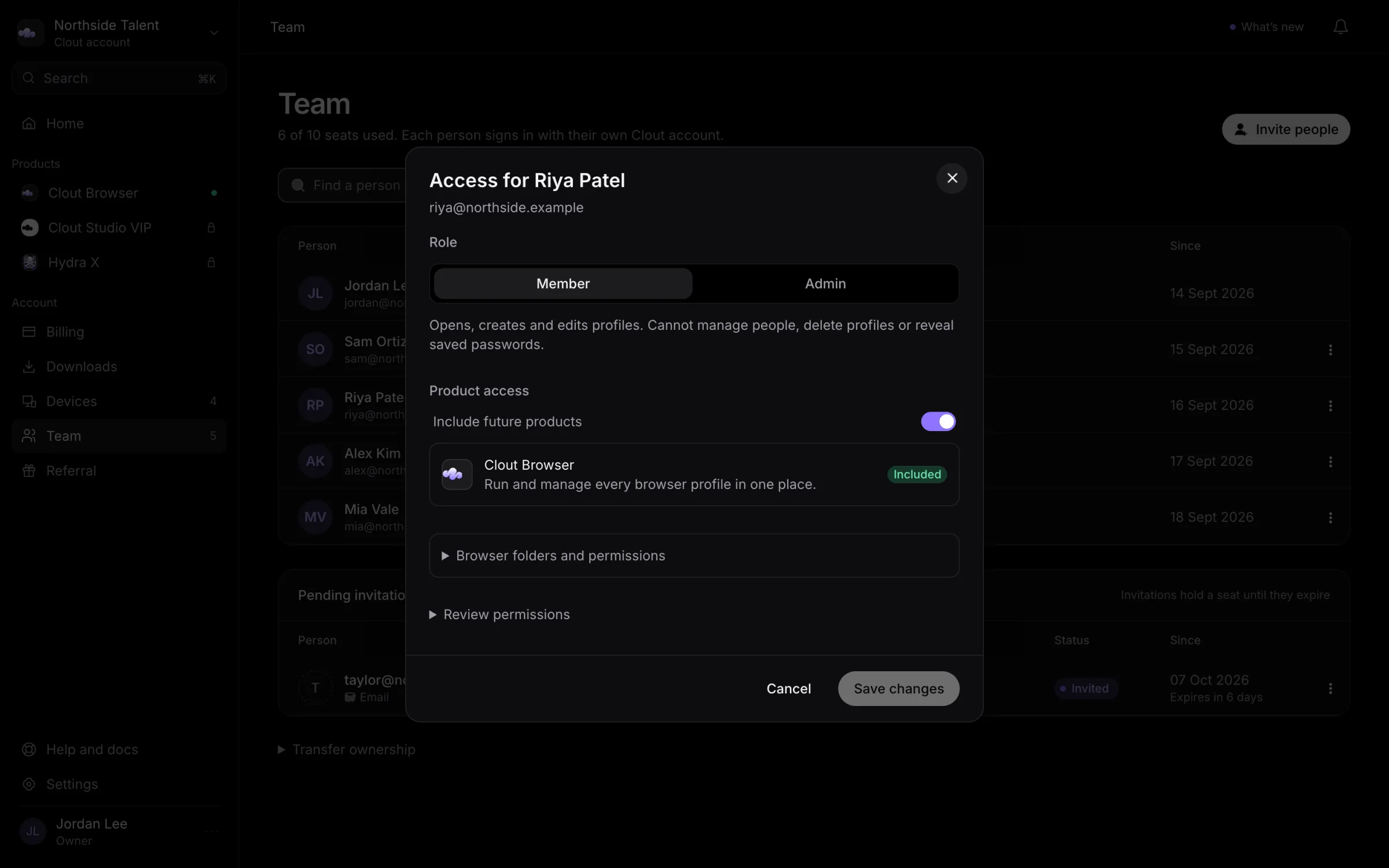
Use Team to decide which Clout products a teammate can reach. The Owner and Admin can make these changes through Invite people or a member's Edit access menu.
Choose products
Everything on this account includes every product your workspace has now and anything you add later.
To limit a teammate to named products:
- Open Edit access from their row menu.
- Switch Everything on this account off.
- Switch on each product they need. Choose at least one.
- Review any product-specific controls below the product list.
- Select Save changes.
Giving someone a product does not buy it for the workspace. Check Subscriptions for the access already arranged.
Narrow permissions
When Clout Browser is included, the controls under Browser folders and permissions let you remove the capabilities offered for that person's role. They cannot give a Member an Admin-only capability.
Expand Review permissions and read What they will be able to do before saving. It summarizes the permissions you have kept; other capabilities belonging to the role stay in place.
If a save fails partway through, the dialog names the changes that were already saved. Review that message before retrying.
Product access after sign-in
Hydra X and Studio VIP use the Clout account for identity and apply access checks in the product. Their workspace permissions belong to their own interfaces.
If a teammate can sign in but cannot open the expected product, check their portal product selection, the workspace's access, and the product's own membership. For Hydra X or Studio VIP access arranged with Clout, talk to us.