Clout Browser docs
Learn to install Clout Browser, create and import profiles, share your fleet and connect scripts or AI agents.
On this page
Clout Browser keeps each browser profile’s fingerprint, browsing data and proxy separate. For your agency, that gives each Creator account a browser you can name, organise and reopen with its own settings.
You work in the desktop app, through the Local API, or with cloutctl. The MCP server lets an AI agent find and open those same profiles. These are different ways into the same browser engine.
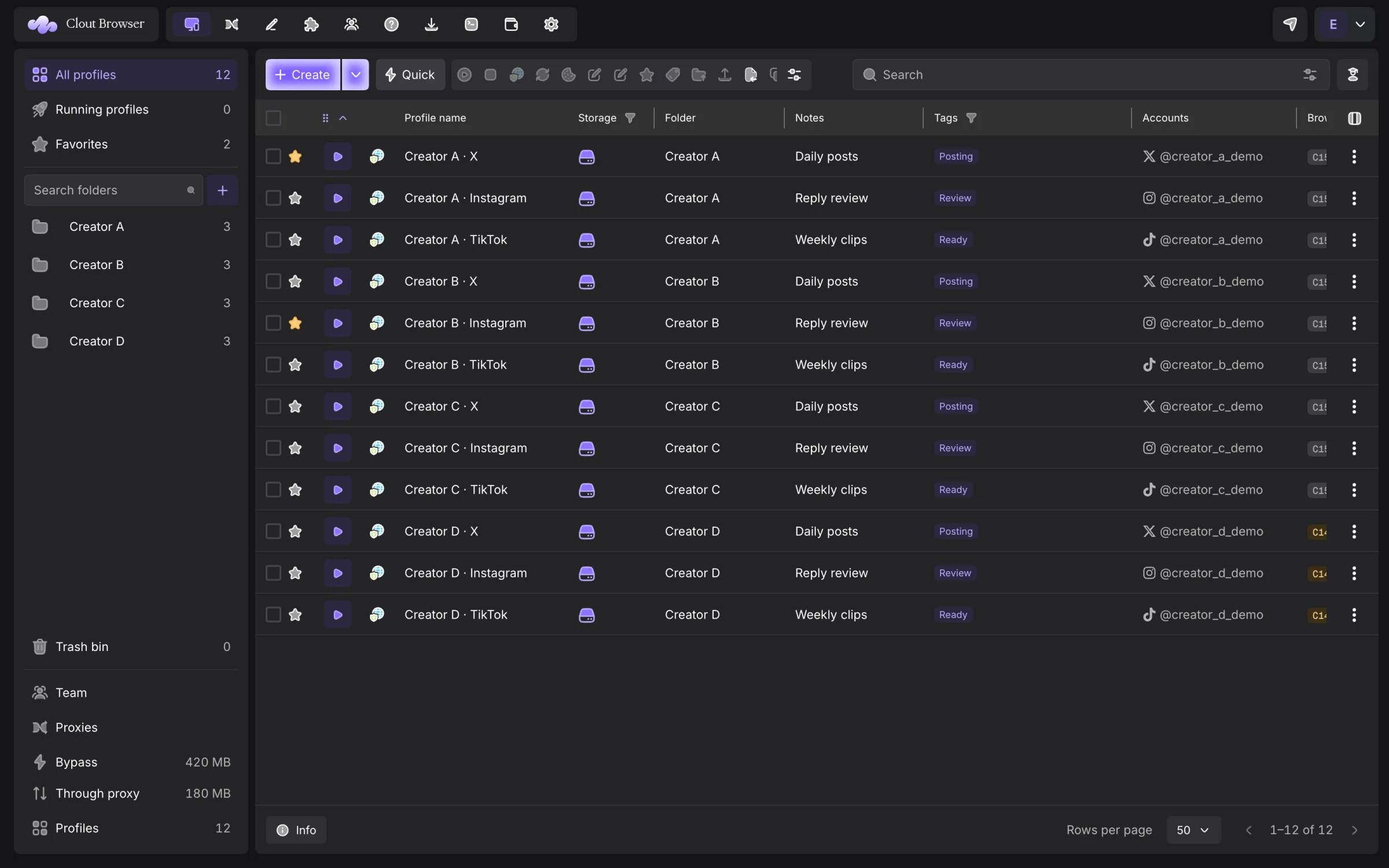
Start with one profile
- Install and sign in.
- Create a profile, give it a proxy and review its identity.
- Start it from Profiles.
- Close it when you finish so Clout can collect the session and sync its browser data.
If you already use another browser manager, read Importing profiles and Browser engines before moving a Creator’s signed-in account.
Find the job you need
| Job | Chapter |
|---|---|
| Install on macOS, Windows or Linux | Getting started |
| Create one profile or a batch | Creating profiles |
| Find, edit, organise, clone or delete profiles | Profiles |
| Install the engine a profile needs | Browser engines |
| Move from another browser manager | Importing profiles |
| Check, assign and rotate exits | Proxies and traffic |
| Reuse settings and browser add-ons | Templates and extensions |
| Give teammates access | Teams and permissions |
| Work across computers and resolve conflicts | Computers and sync |
| Set browser defaults and diagnose faults | Settings |
| Manage your plan and protect your data | Account and billing |
| Connect HTTP automation | Local API |
| Connect an AI agent | MCP |
| Operate from a terminal | Command line |
| Recover from a failed operation | Troubleshooting |
The words used here
Profile means one browser identity and its data. Fleet means the profiles in your workspace. Engine means the browser binary that opens a profile; kernel means a version of that engine. A computer is an installation registered to your account.
A profile has one group and can belong to several folders. A team member’s rank controls what they may do; their profile access controls where they may do it.
Screenshots use synthetic data and the dark English interface. The redesigned form, engine page and agent setup shown here are from 0.0.52. The current Windows download is 0.0.50 and uses the earlier layout.
What isolation means
Separate profiles do not guarantee that a platform will treat accounts as unrelated. The connection, account activity and changes to an established identity still matter. Keep the profile’s proxy and fingerprint deliberate; use the generated defaults unless your workflow needs an override.
Look up a screen or term
Use the Desktop reference to find a screen, dialog or menu. The Glossary distinguishes groups, folders, engines, sessions and the different tokens.