Clout Studio VIP docs
Create, review and organize images, videos and carousels for your Creators in Clout Studio VIP.
On this page
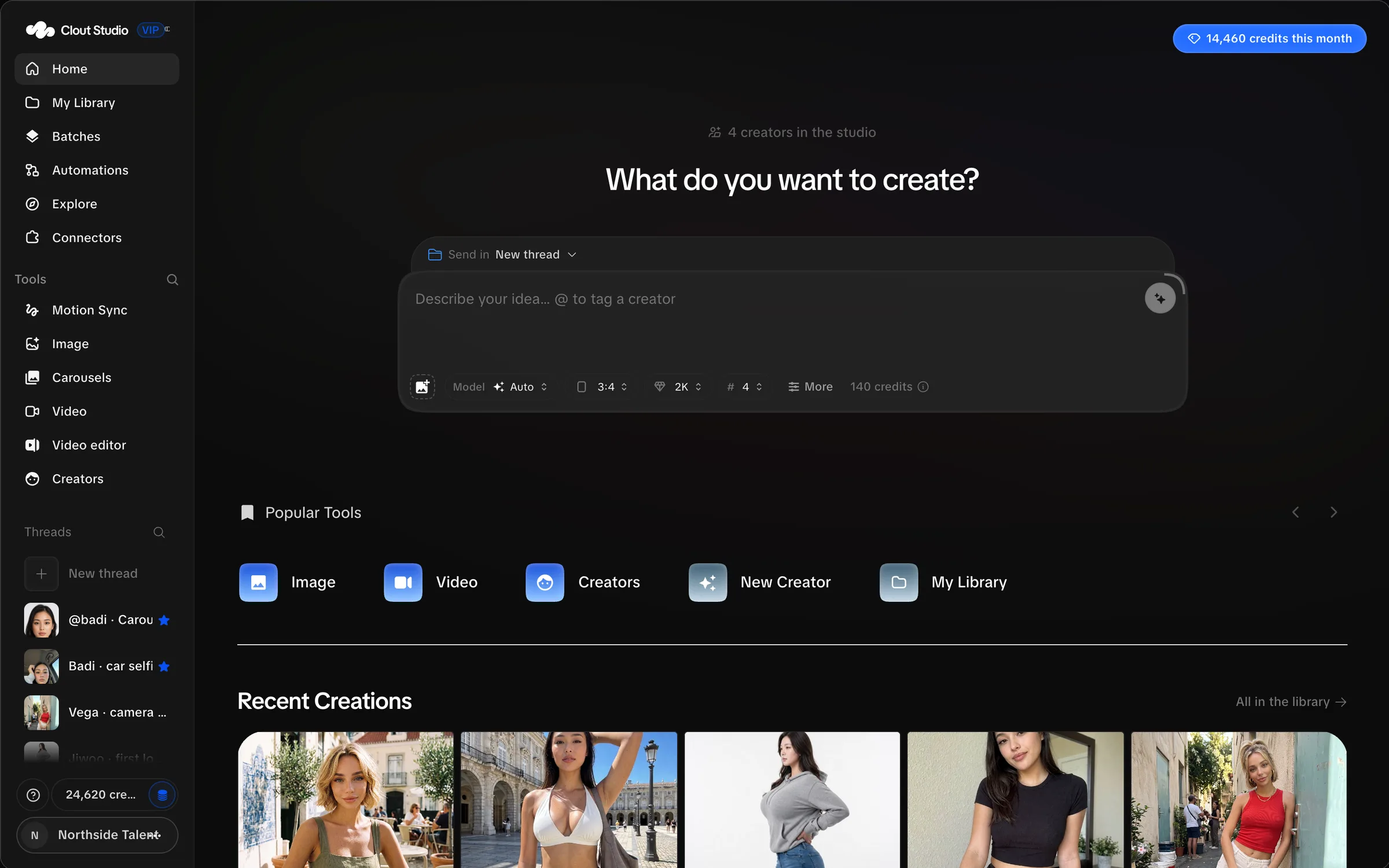
Clout Studio VIP is your agency’s workspace for making images, videos and carousels with a Creator’s references or trained likeness. Open it at app.cloutlabs.co/studio. Access is invite only.
Start with a Creator’s face and body photos. Studio prepares shared references you can review and use immediately. A trained version adds a LoRA for Mirage v0; you can keep making content while you prepare another version.
Your first session
- Open Studio and join your workspace.
- Add a Creator and review the references.
- Make an image using references, or train a version for Mirage v0.
- Find the result in My Library, then download it or send it to Google Drive.
- Connect posting accounts and schedule reviewed content.
Where the work lives
| Screen | What you do there |
|---|---|
| Home | Start a creation and return to recent work. |
| Creators | Manage source photos, shared references, the working dataset and trained versions. |
| Image | Write prompts, choose image models and work in creation threads. |
| Video and Motion Sync | Generate video from a prompt or recreate a source video. |
| Carousels | Make and inspect a set slide by slide, compare takes and export in order. |
| Video editor | Assemble clips, make auto captions, edit text and export an edited video. |
| My Library | Find generated images, videos, uploads, threads and activity; organize folders. |
| Batches | Import a group of sources, launch selected work and review the takes. |
| Explore | Search archived Instagram, TikTok and X sources and save ideas. |
| Automations | Build repeatable jobs, inspect runs and manage the posting calendar. |
| Connectors | Link posting accounts, Google Drive and read-only AI assistants. |
| Account | Manage your workspace, members, usage, billing and preferences. |
For longer jobs, follow creation threads, video batches, auto captions, the workflow canvas and the calendar.
Three kinds of identity
References are shared images attached to requests that support them. They do not require a trained version.
The working dataset is the set of images you approve for the next training. Changing it does not change an already published version.
A trained version is a published LoRA. Select it when you want Mirage v0 to use that Creator’s trained likeness. Several versions can stay available at once.
Before you create
Use content you have permission to use. Check the Creator, identity mode, model, count and credit estimate before starting paid work. Review likeness, anatomy, text and continuity before delivering or posting the output.
Your workspace’s plan controls access to features and its Creator and generation limits. See credits and billing and talk to us.
Screenshots use synthetic workspace details and generated, clothed example images. They illustrate the controls; their balances and item counts are example data.