Explore and source collections
Search archived social sources, inspect posts, save ideas and import sources for recreation.
On this page
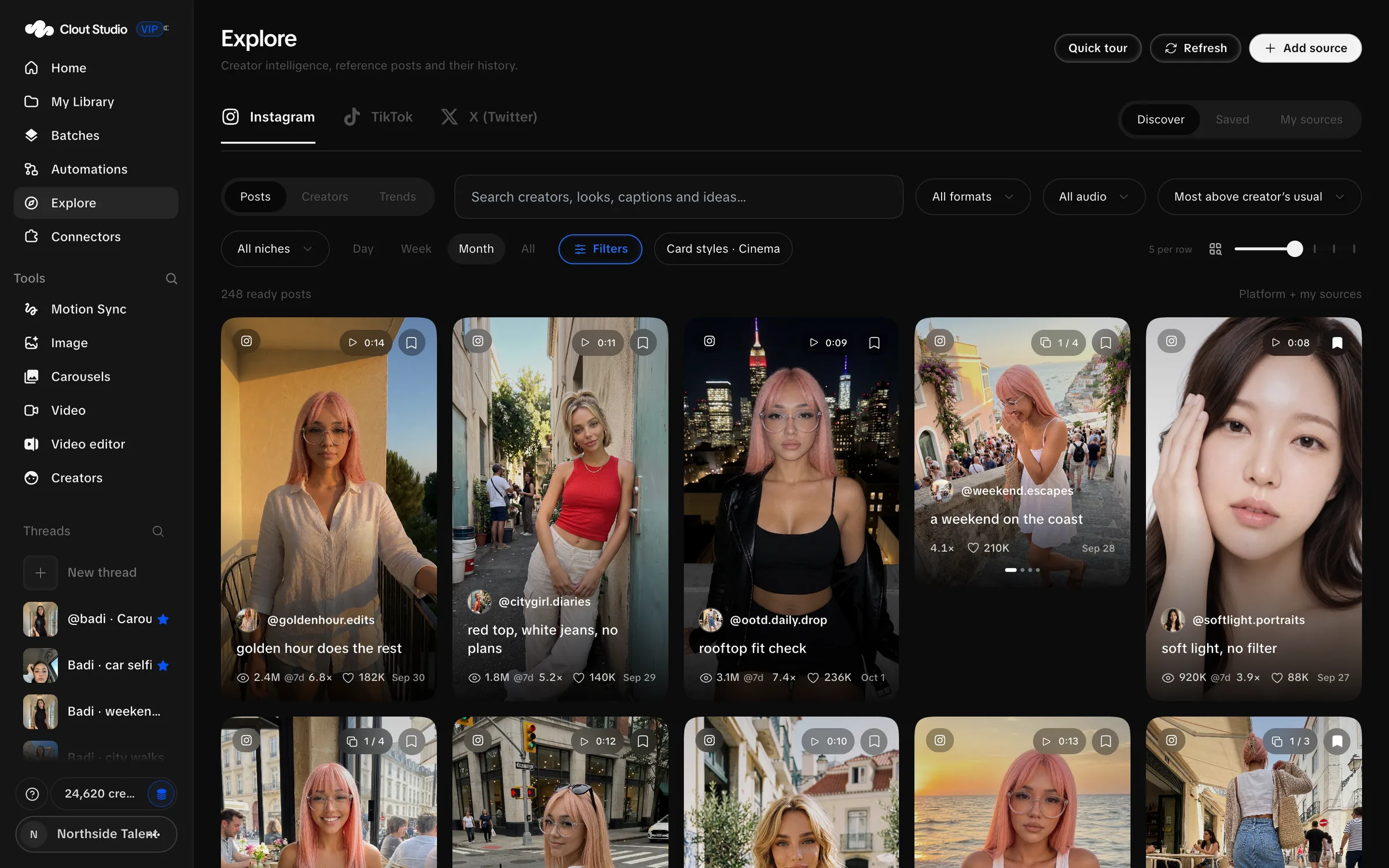
Explore is the source archive for Instagram, TikTok and X (Twitter). Use it to find ideas, inspect a post and save sources before you recreate them.
Choose a collection and view
Discover browses the shared archive. Saved shows your saved material. My sources is for the sources you added.
The views are Posts, Creators and Trends. Here, a source Creator is the social account behind an archived post; it is separate from a Studio Creator whose likeness you generate.
Choose Quick tour for the screen’s walkthrough. Refresh reloads the view; it does not mean every source has just been crawled again.
Narrow the search
Search creators, looks, captions and ideas. Choose a format, niche and date range. Day, Week, Month and All narrow the time range. Available formats depend on the platform.
Video audio filters distinguish No dialogue, Dialogue and Unknown. Unknown means the classification has not been established; inspect the source before selecting a recreation workflow.
Sort choices include recent posts, raw engagement counts, performance relative to the Creator’s usual results and views relative to followers. Instagram and TikTok use views; X uses impressions where those metrics are available.
Archive metrics are recorded observations. They do not promise the result your recreation will achieve.
Inspect and save a post
Open a post to inspect its media, caption, source account and recorded metrics. Carousel arrows let you review every slide. Save the post or account and organize it into a saved folder.
For a video, Use this video or Clone video takes the source into video work. For a carousel, Clone carousel opens the clone setup. Pick a suitable source format before using the action; an image post is not a video source.
A saved folder makes a useful handoff between research and production. Recreate this folder opens batch setup for that collection.
Add a source
Choose Add source. You can add a Creator, a Post or video, or an Upload.
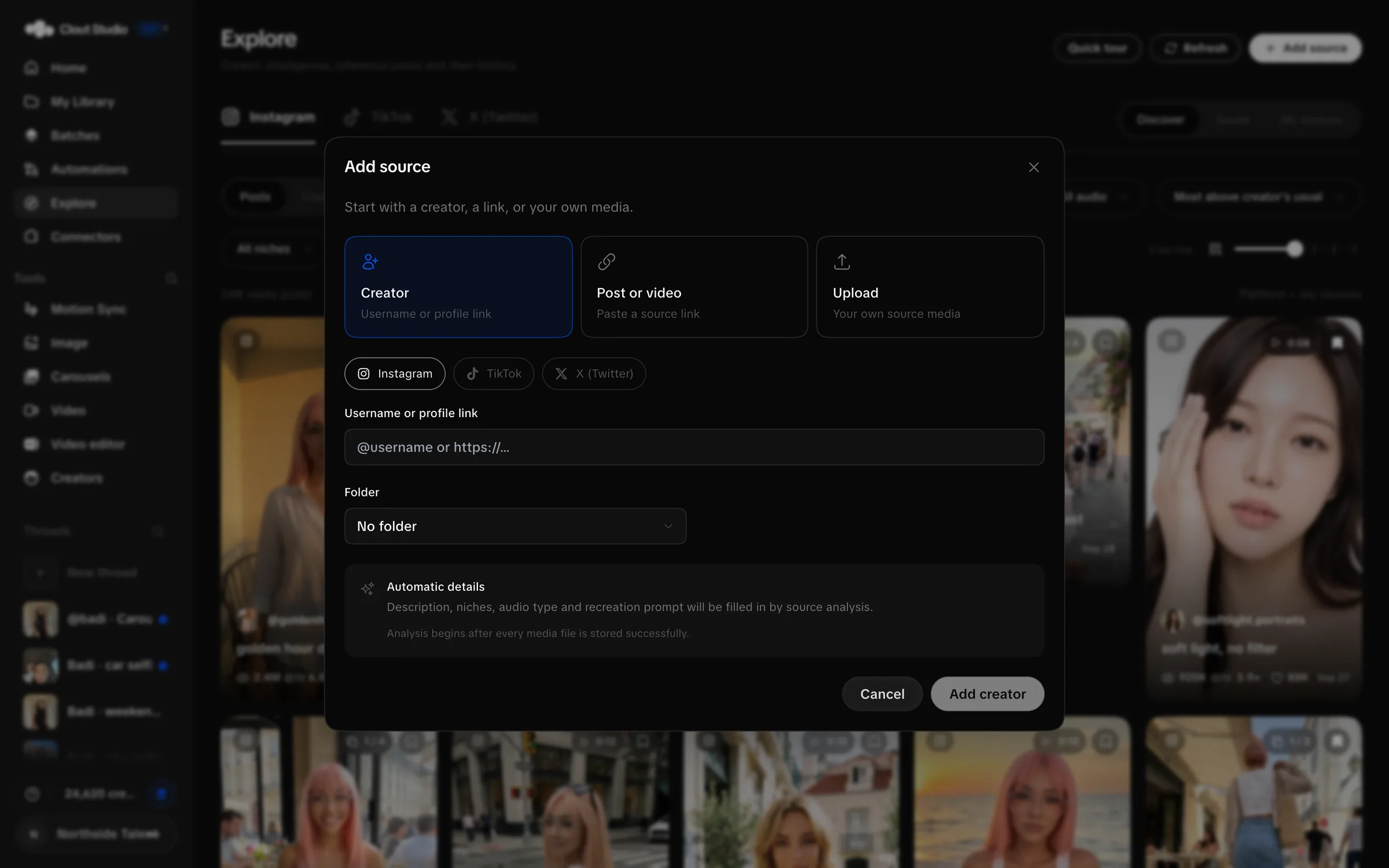
For a Creator, enter the platform username or profile. For a post, provide a complete https:// or http:// link from a supported platform. Preview and import errors remain visible so you can correct the source.
Uploads accept images and videos, with up to 30 files and a 512 MB per-file limit in this source-import flow. Supply the source Creator handle when required. This limit is for Explore import; image composer and dataset uploads have different limits.
Import and analysis can continue in the background. Check the resulting source before recreating it. If media cannot be downloaded or a dialogue classification is unknown, do not assume the source is ready.
Use sources responsibly
Choose material you have permission to use, then adapt the setting or idea for your Creator. Review the generated likeness and the source’s role in the result before publishing.
For multi-slide adaptation, see carousels. For several sources, use video batches. For motion and dialogue decisions, see Video and Motion Sync.