Auto captions
Transcribe timeline audio when enabled, review captions, correct text and word timing, and style the complete caption track.
On this page
Open a saved project in Video editor, then choose Captions. Auto captions processes the audio sources used by the timeline. Clips whose audio already has captions are skipped. The example below uses manually timed demo captions; it is not a transcript of a real person.
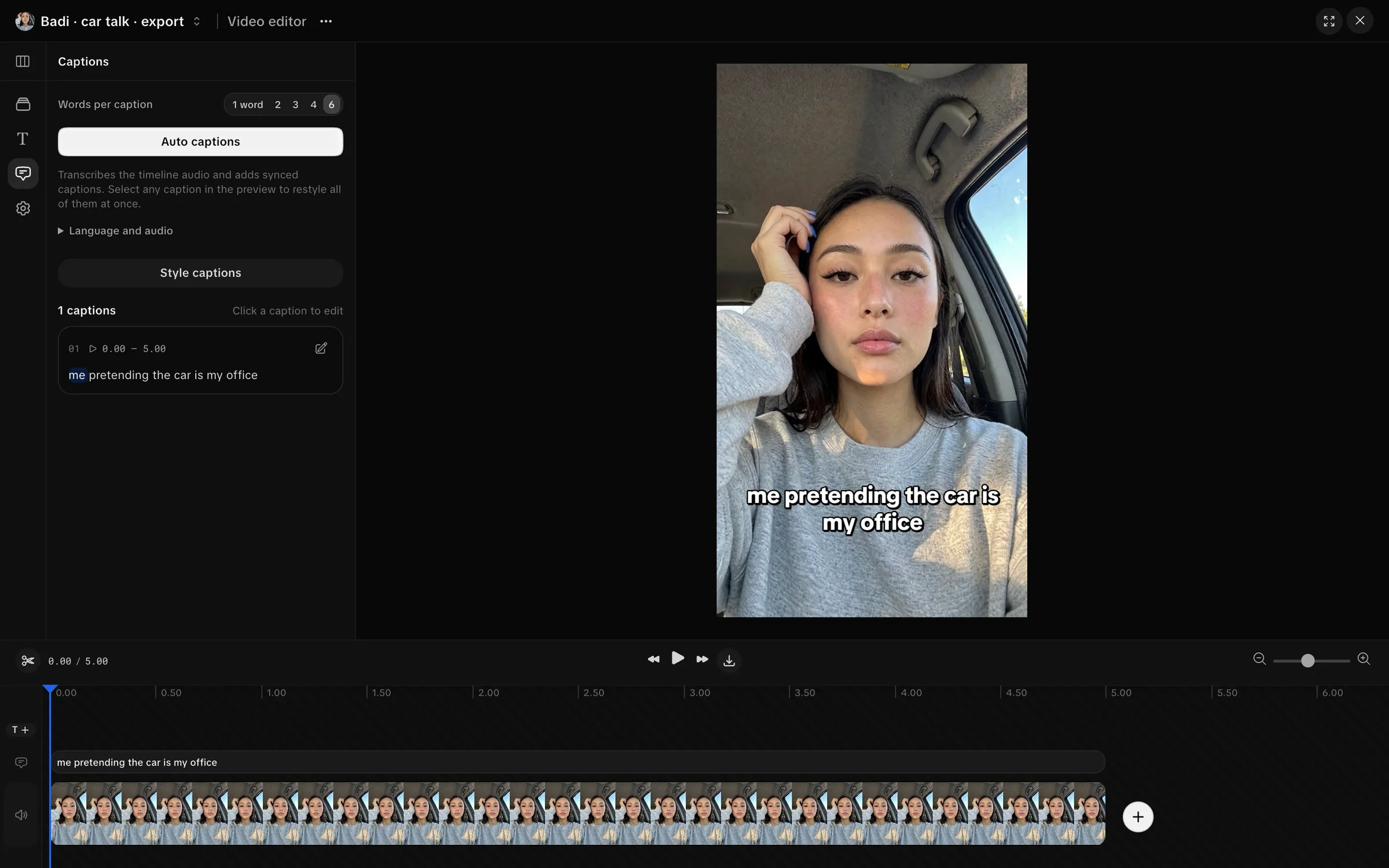
Generate captions
- Arrange the clips and choose their audio tracks.
- Open Captions and set Words per caption.
- Open Language and audio if you need a specific language or audio classification.
- Set Audio content to Dialogue or voiceover, Lyrics, or Music only, no dialogue.
- Choose Auto captions and watch the job state.
- Review the returned transcript and captions against the audio.
If no clip has an audio track, Studio says there is nothing to transcribe. To transcribe already captioned audio again, remove its existing captions first.
Transcription and forced alignment depend on server configuration. If the panel says transcription is switched off, paid transcription is unavailable there. Silent audio can still be detected without a paid call. Alignment controls appear only when alignment is enabled.
When a transcript is ready, the result offers Add to video. If usable word timing is missing, Use sentence captions is available when sentence timing exists. Align words to the audio can prepare word timing when enabled. Inspect the result before applying it.
Correct text and timing
Click a caption to edit it. Correct the text and use the visible timing controls to match the audio. Word-timed captions let you edit individual words and split the caption after a word. Sentence captions display the sentence together and do not supply word-by-word effects.
A text edit can make timing stale. Realign requests new timing for a word-timed caption; Align words does so for a sentence caption when available. Review existing edits before replacing captions with a returned alignment. If caption text changed while alignment was running, Studio preserves the edits and reports a conflict.
Style and regroup captions
Words per caption offers 1 word, 2, 3, 4 and 6. Regrouping uses existing word timings. It cannot manufacture word timing for sentence captions.
Choose Style captions, or select a caption in the preview, to change the shared look. Presets include Clean subtitle, Spoken-word highlight, Bold social, Minimal editorial, Karaoke progress, Punchy pop, One word and Soft card.
Inspect font, color, outline, background, alignment and placement over every clip. Caption style changes apply to the full caption track. Save a style when you want to reuse it in the project.
Export the captioned video
Use Project actions → Export. Export burns the captions into the MP4 and saves SRT, VTT, caption JSON and project JSON copies alongside it. Check the final video in the Library before delivery.