Hydra X docs
Learn Hydra X: connect your agency’s X accounts, run automations, reply to fans and report results.
On this page
Hydra X runs your agency’s X accounts for its Creators. You connect accounts in their own Clout Browser profiles, choose which accounts work for each Creator, and build the replies, posts, follows and DMs they send. Your team answers fan replies in one inbox.
Start with one Creator and a small group of accounts. Check their sessions and pacing before you start work. Add more accounts once you can see what was delivered and what needs a person.
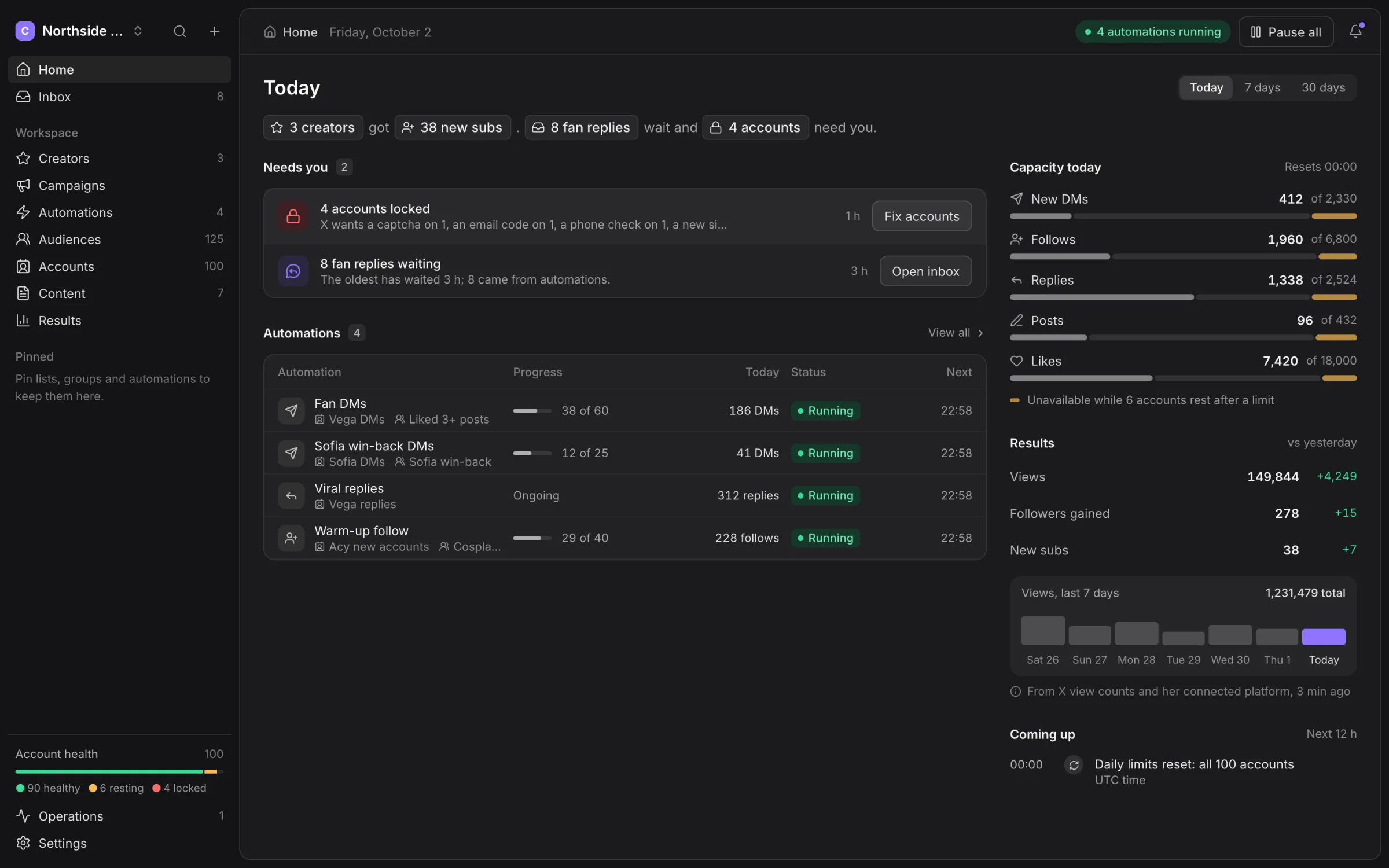
How the pieces fit
| Piece | What you use it for |
|---|---|
| Creator | Keep one Creator’s accounts, content, platform connection and reports together. |
| Account | An X identity with a browser profile, proxy, health and action history. |
| Group | Choose the accounts that do a particular job and share a warm-up plan and pacing. |
| Automation | Configure a repeatable job, such as replying to watched accounts or messaging a list. |
| Workflow | Connect a trigger to actions, conditions and waits. |
| Campaign | Put a goal and date range around a Creator’s automations. |
| Machine | Run Clout Browser and Hydra X Runner, which carry out browser work. |
| Audience | Store the people you find, their lists, tags and contact history. |
Hydra X manages work. Clout Browser manages the profiles and browser storage on your machines. The runner connects those machines to your workspace. Keep these parts together when you troubleshoot an account: an online app does not mean its browser machine is online.
Your first route through the docs
- Install and sign in.
- Add a Creator and connect accounts.
- Join a machine and check safety and pacing.
- Build an automation or schedule a post.
- Answer replies and check results.
Where to go for a job
| You want to… | Read |
|---|---|
| Find people and keep contact lists current | Audiences and sources |
| Send a follow-up after a delay or a reply | Workflows |
| Coordinate a launch or growth target | Campaigns |
| Prepare different text for several accounts | Content |
| Give a Creator access to her numbers | Creators and the portal |
| Invite a VA or Chatter | Team and settings |
| Connect scripts or an MCP assistant | API, MCP and runner commands |
| Understand a stopped job or error code | Troubleshooting |
Plans and access
The Clout team activates your workspace and arranges your plan. Use Talk to us in Settings → Plan for capacity or plan questions. Hydra X is priced on request: talk to us.
These pages describe the active product. Controls marked Coming soon are unavailable. Your role, Creator scope and workspace plan can also restrict an action.
Screenshots use a synthetic agency and invented activity. The figures illustrate the screens; they are not recommended action limits or promised results.
Operate and hand off
For fleet operations, use Proxies, Live view, Runtime and Schedule. For workspace administration, use Integrations and Data and audit.
Send Creator portal to a Creator who needs to connect her Fanvue page or read her weekly numbers.
Screenshots use the Northside Talent demo workspace with generated Creator images and synthetic activity. Dates, counts, limits and forecasts illustrate the screens; use your workspace’s own values.