Runtime and capacity
Set browser concurrency, retry choices, evidence preferences and runner update settings.
On this page
Open Settings → Runtime for controls that affect the whole workspace. Save changes with Save changes, or use Discard to return to the saved values. Account action caps live separately in Safety and pacing.
Set concurrency
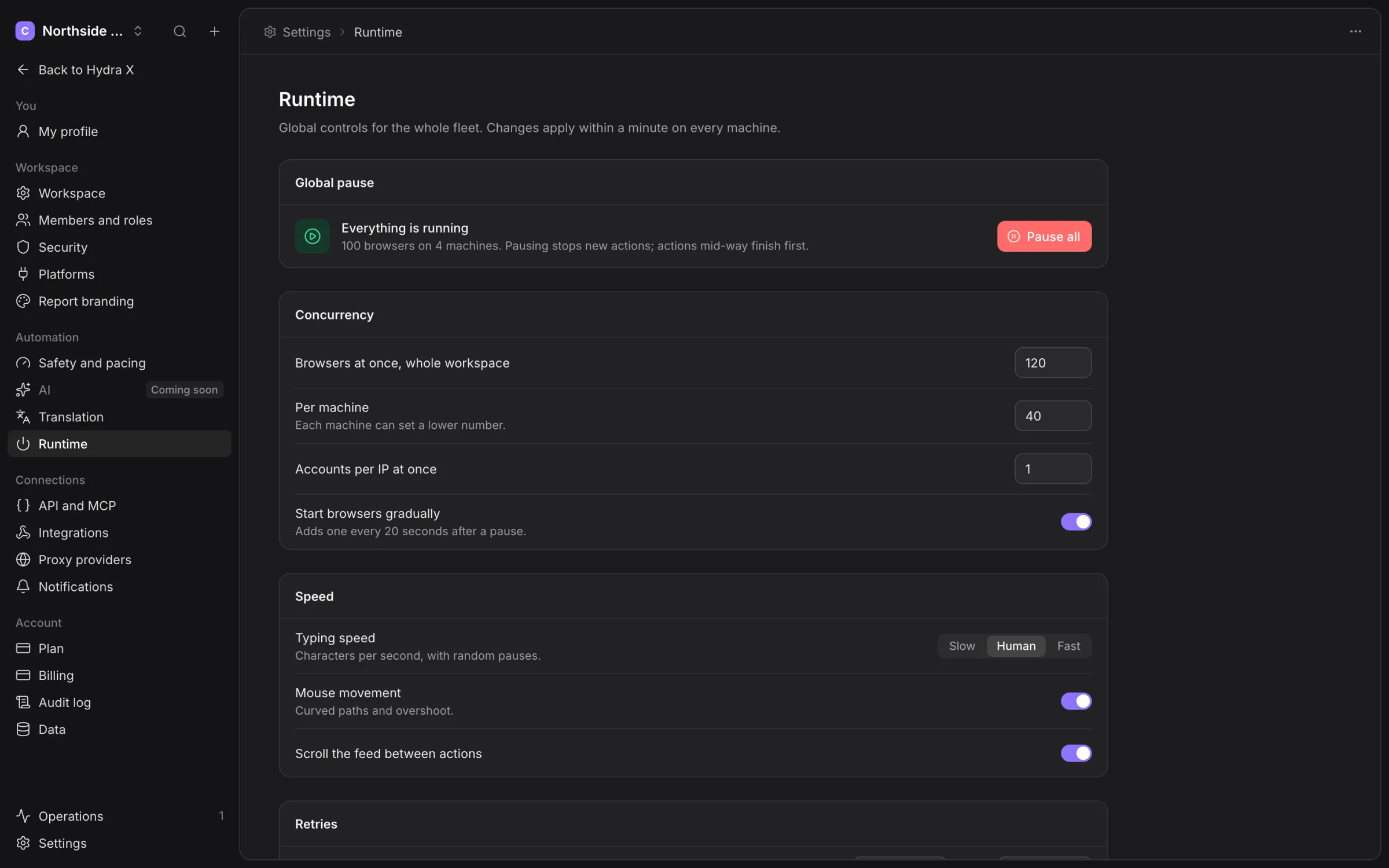
Browsers at once, whole workspace sets the workspace ceiling. Per machine sets the default machine ceiling; individual machines can use a lower number. Accounts per IP at once limits concurrent work sharing an IP.
These values control simultaneous browsers, not completed actions per day. Raising them cannot override warm-up, quiet hours or contact rules. Inspect machine slots and resource readings before increasing concurrency.
Start browsers gradually spreads starts after a pause. Check pending work in Runs and queue when the fleet resumes.
Speed and retry choices
The screen offers Typing speed, Mouse movement and Scroll the feed between actions. Treat these as saved runtime preferences, not a guarantee that X will accept an action.
Retry a failed action sets the retry count and delay. Hand to another account on failure allows rerouting within the same group. Contact and account gates remain in force.
An action marked Not verified may already have reached X. Read its evidence before requesting another send. Retry settings do not make uncertain delivery safe to repeat.
Evidence and updates
Screenshot on error and Record live sessions control the requested evidence. Inspect the action or session record to see what was actually retained. Use Data to manage retention of recordings and failure screenshots.
Update the runner by itself, Channel and Maintenance window set runner update preferences. Use a published runner release offered by the app. A saved update preference does not establish that an installer or update feed is available for every platform.
Global pause
Use the Global pause controls for workspace-wide investigation. Check the pause reason and resume timing. A billing hold needs the Clout team to credit the next paid period; ordinary resume controls cannot remove it.
See Pause and resume before returning the fleet to work.