Data, retention and audit
Export available workspace data, handle fan data requests and inspect consequential changes.
On this page
Use Settings → Data for exports and retention, and Settings → Audit log for consequential workspace changes. Access depends on your role and plan.
Export workspace data
Choose Export all to prepare a ZIP of the available CSVs and media. The export includes data your role may see. Check the progress and each part’s status: a skipped part is not included simply because you chose Everything.
Use Download when the export is ready. The export link is retained for seven days. Cancel stops a preparation; Delete removes the prepared file. These controls do not erase the original workspace records.
For a narrower export, use the relevant screen, such as Activity or Audiences. Keep downloaded files within your agency’s access rules.
Retention
Set retention for DM conversations, Activity log, Live view recordings, Screenshots of failures and People never contacted. Where offered, Forever keeps that category without a timed expiry.
Shortening retention makes older records eligible for permanent deletion by the retention worker. Export what you need first. Changing retention does not remove a published post from X.
Requests from fans
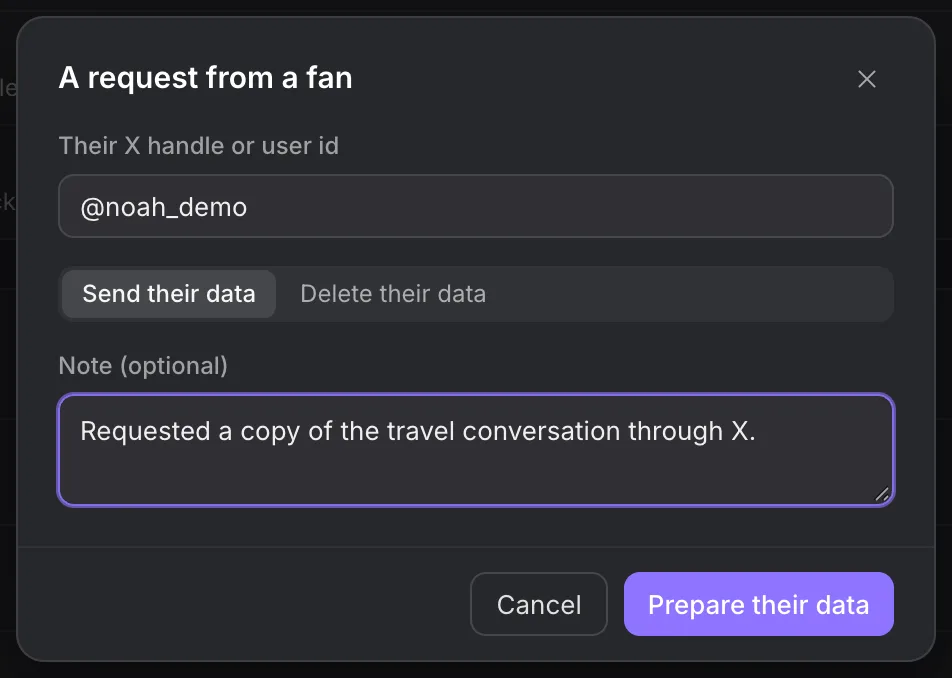
- Choose New request under Requests from fans.
- Enter Their X handle or user id.
- Choose Send their data or Delete their data.
- Add a note that records the request context.
- Review the operation, then choose Prepare their data or Delete their data.
Deletion removes the stored profile, conversations, notes and tags. Actions remain in Activity without the person’s identity, and the person stays uncontactable.
Also forget that they asked not to be contacted is a separate choice. Use it only when the person asked for that too. Possible-minor protection cannot be cleared through this choice.
Inspect the audit log
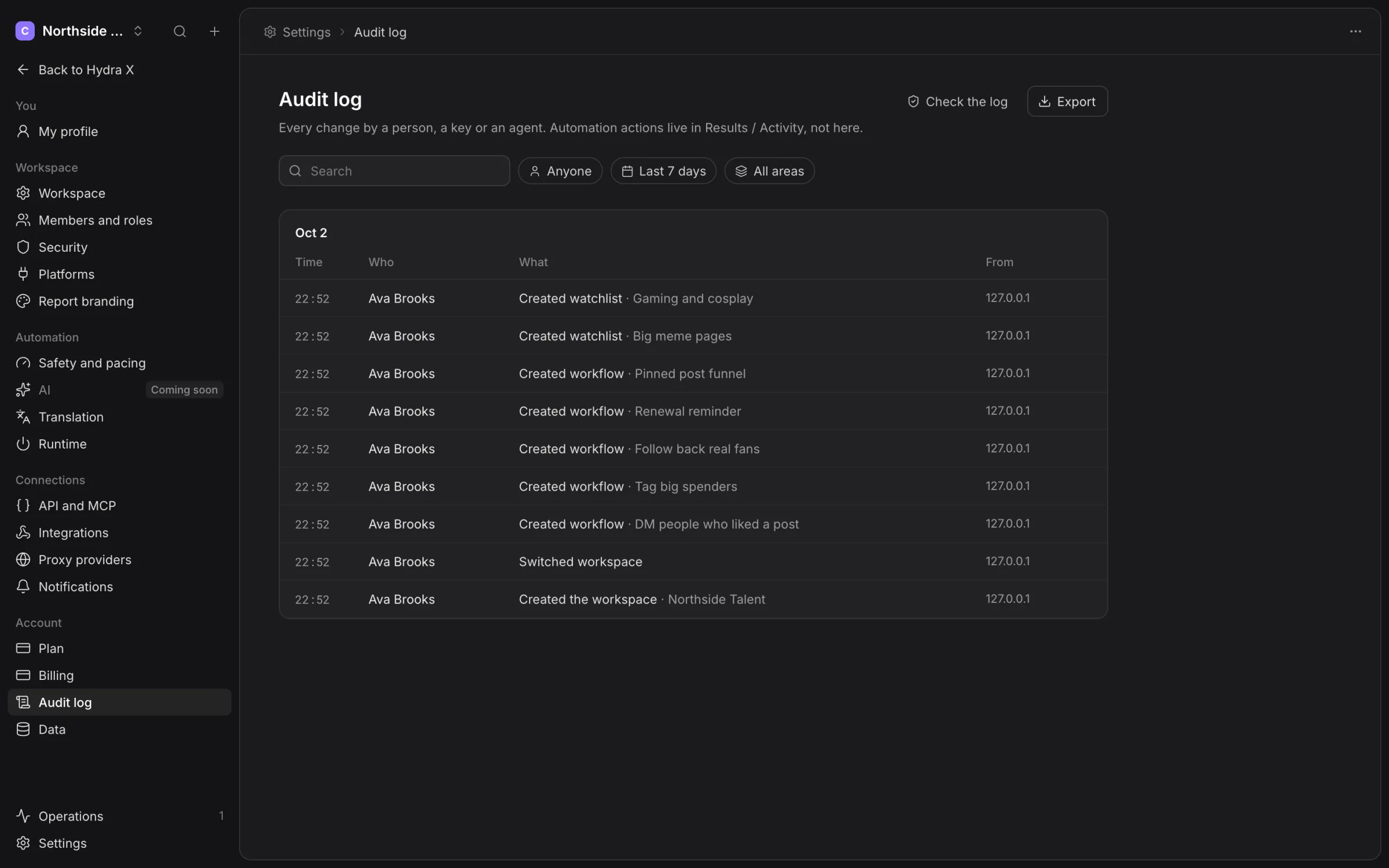
Search and filter by actor, period and area. Audit records describe settings, member and other workspace changes. X automation actions belong in Results → Activity.
Choose Check the log to verify its stored chain. If it reports a broken entry, give the request context to the Clout team. Export prepares the selected audit records when your access allows it.
Delete a workspace
Only an authorised Owner can use Delete workspace. Read the affected scope and type the requested workspace confirmation. Deletion stops work and schedules permanent removal after seven days.
Before that date, Undo cancels the scheduled deletion. Resume from Runtime when you are ready; cancelling deletion is not a request to immediately restart every job.
Arrange a current export before deleting. For billing or access instead of deletion, talk to us.