API, MCP and runner commands
Create scoped API keys, use the current OpenAPI contract, connect MCP clients and inspect local runner commands.
On this page
API keys act as the member who creates them. They have their own access flags, Creator scope and expiry, but they remain bounded by that member’s permissions and the workspace’s account safety rules.
Create a key
- Open Settings → API and MCP and choose Create key.
- Set Name and the It can access choices.
- Select Creators and Expires.
- Create the key and store the value securely when it is shown.
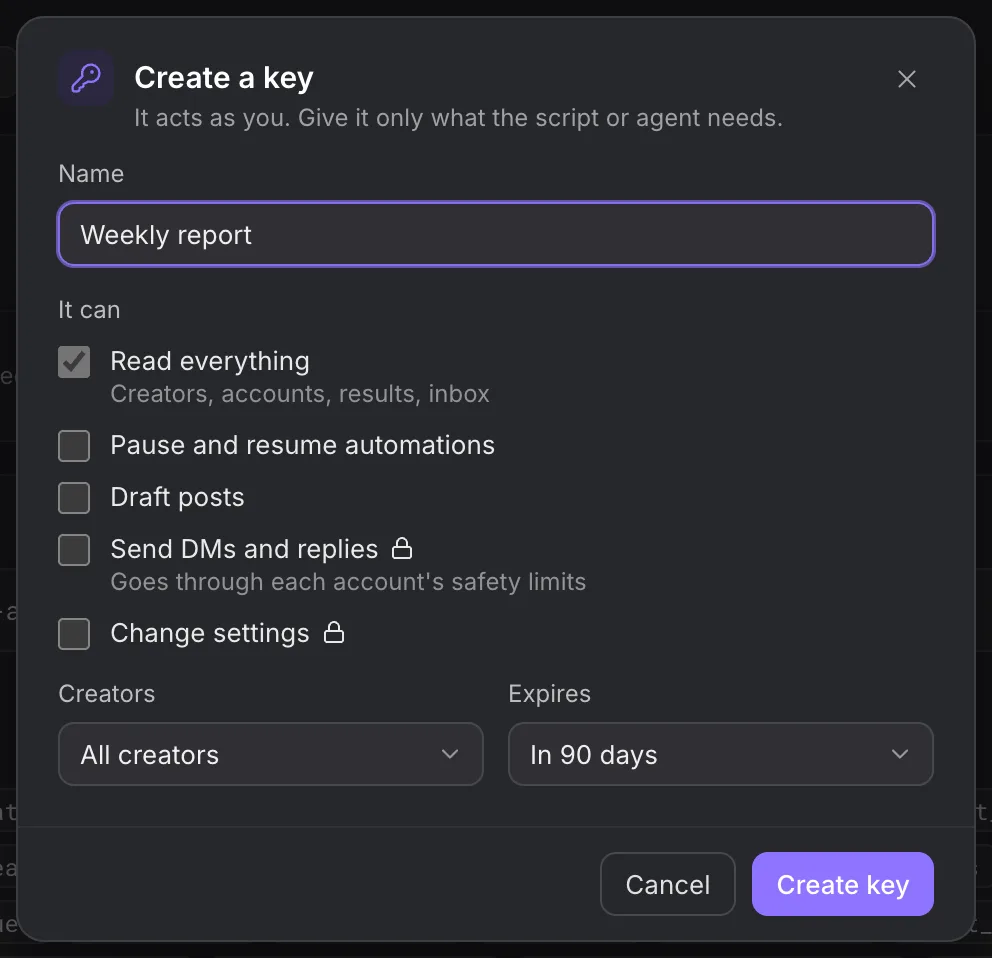
A key is shown once. Do not paste it into content, screenshots or support reports. Revoke an unused or exposed key rather than sharing it with another integration.
| Scope | Route access |
|---|---|
| Read | Read routes and the read-tier operations allowed to the member. |
| Read and act | Read, draft and action routes, further restricted by the selected access flags. |
| Full | Also configuration routes allowed to the member and key. |
Security, member administration, key administration and other interactive-only operations require a signed-in person. Full does not mean Owner access.
Base URL and schema
Use API docs to copy the current base URL and OpenAPI link. The current application configuration uses:
https://xma-node-prod-api.cloutlabs.co/v1
https://xma-node-prod-api.cloutlabs.co/v1/openapi.json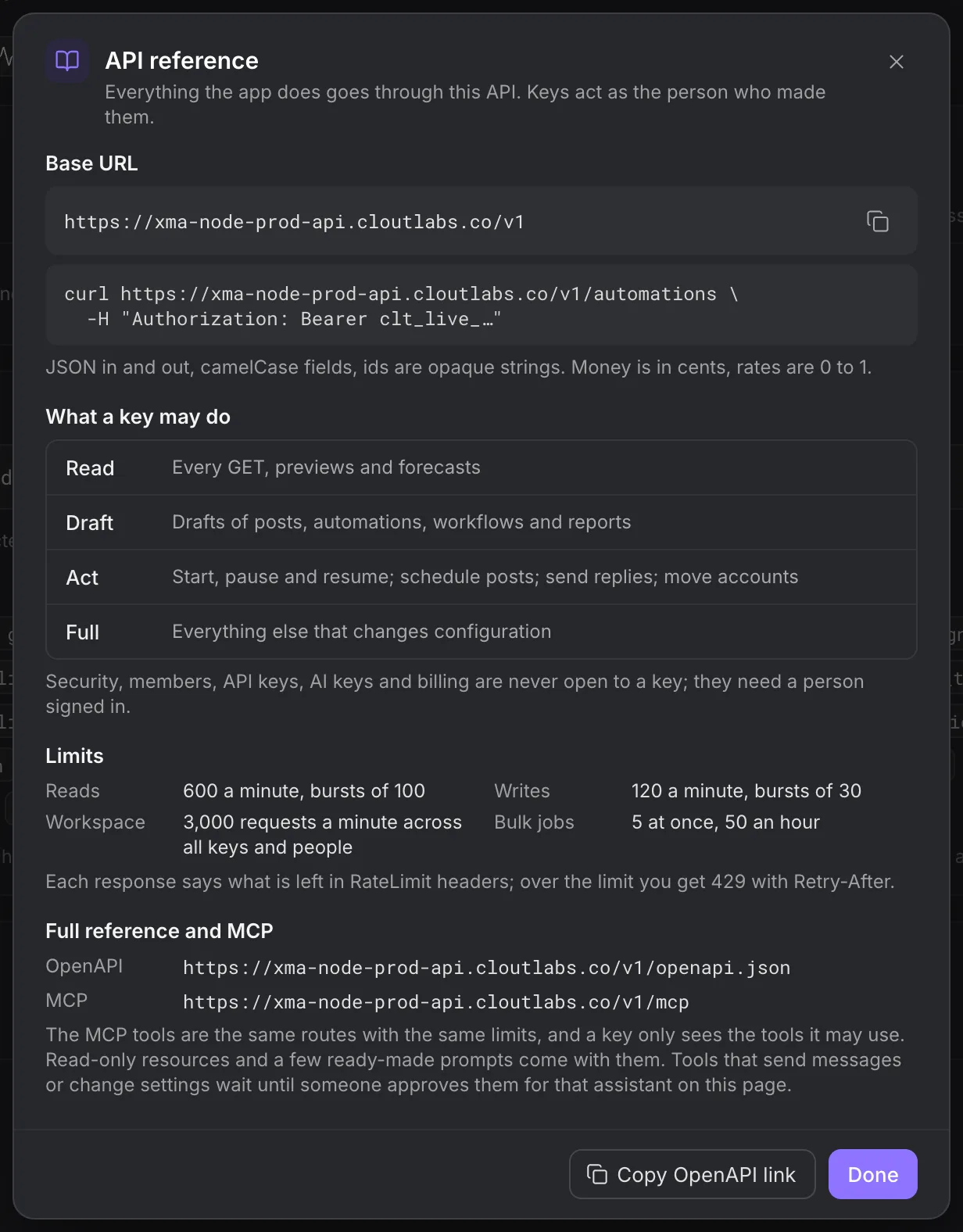
The API accepts JSON with camelCase fields. IDs are opaque strings. Send a key in the Authorization: Bearer header. This read-only example uses a shell variable containing your own key:
curl 'https://xma-node-prod-api.cloutlabs.co/v1/automations' \
  -H "Authorization: Bearer ${HYDRA_X_API_KEY}"
Use the OpenAPI operation for the resource you need rather than guessing a body from a similar route. Available resources cover Creators, accounts and groups, automations, workflows and runs, campaigns, inbox threads, audiences, posts, media, results and reports, machines and issues.
Pagination and writes
Paginated routes return a next cursor when another page exists. Pass that value as cursor on the same route with the same filters. List schemas generally default limit to 50 and cap it at 200; the operation’s schema is authoritative.
Strict request schemas reject unknown fields. Query booleans use true or false. Date-only fields use YYYY-MM-DD; range fields offer the values documented by that operation.
Revision-controlled writes require rev from the object you read. On rev_conflict, read the object again and review the other person’s changes before submitting a new edit.
POST operations can accept an Idempotency-Key; some require it. Use one stable key for the same logical request and keep its body unchanged when retrying. Keys accept 1–128 printable non-space ASCII characters. Reusing one for a different actor, method, path or body returns idempotency_key_reused. An in-progress duplicate returns 409 and Retry-After.
Rate limits
| Class | Default limit | Burst |
|---|---|---|
| Reads | 600 per minute | 100 |
| Writes | 120 per minute | 30 |
| Workspace, across keys and people | 3,000 per minute | Workspace-wide |
| MCP tool calls and resource reads, per key | 60 per minute | 20 |
| MCP calls, per key | 5,000 per day | Daily allowance |
| MCP action tools, per client | 10 per minute | Per-client allowance |
Responses include ratelimit-limit, ratelimit-remaining and ratelimit-reset. On 429, honour Retry-After. These HTTP limits are separate from each account’s action and contact limits.
Errors
A non-success response has an error object with code, message and requestId. Validation can also include field and fields; a rate refusal can include retryAfterSec.
Log the code and request ID without logging keys, credentials or private message text. Typical cases are api_key_expired, key_scope_insufficient, outside_scope, interactive_only, validation, rev_conflict and rate_limited. Read Troubleshooting for the corresponding support report.
MCP clients
The endpoint is:
https://xma-node-prod-api.cloutlabs.co/v1/mcpOpen Connect a client for the current instructions for your client. The endpoint uses authenticated POST JSON-RPC over Streamable HTTP. GET and DELETE are not supported transports here.
Tools are filtered by the key’s scope, member permissions and active route catalogue. Examples include list_creators, list_automations, get_automation_log, list_workflows, list_threads, get_results, draft_automation, start_automation, publish_workflow, send_inbox_reply and schedule_post. Use the client’s returned tool schemas for exact input fields.
Tools that send messages or change settings require a member’s first-use approval for that client in API and MCP. This is a client permission grant, not a queue for approving each automation action. Inspect the requested tools before granting it. You can disconnect a client later.
Read-only resources and prompts expose the same scoped data. An assistant must preserve unknown results as unknown; it cannot turn a missing metric into zero.
Receive workspace webhooks
Create an outbound webhook in Settings → Integrations, select the active events and save its signing secret when shown. The receiver gets a JSON envelope with id, type, created, workspace and data; test deliveries also include test: true.
Headers include clout-event, clout-delivery and clout-signature. The signature format is t=<unix>,v1=<hex>. Verify HMAC-SHA256 over the timestamp, a literal . and the exact raw request body with your webhook secret. During rotation, more than one v1 signature can be supplied.
Respond with a 2xx status within ten seconds. Redirects count as failures. Failed delivery retries use the configured sequence of one minute, five minutes, 30 minutes, two hours, six hours, 12 hours and 24 hours. Deduplicate by the delivery ID before applying a side effect.
Inspect delivery history in the app and use the offered resend control after fixing a receiver. Event choices in that screen are authoritative; a retained tracking-era event name is not proof that tracked clicks are active.
Runner commands
Run these on the machine that owns the browser profiles, using the same OS account as the installed runner:
clout-runner profiles
clout-runner status
clout-runner watchdog
profiles inspects local Browser profiles. status inspects the runner. watchdog starts its managed supervisor and runner. Use the installed tray or service for normal operation rather than starting multiple unmanaged copies.
Joining accepts one JSON object through standard input:
clout-runner join --stdinThe object requires code; optional fields are apiUrl, relay, browserToken and browserApi. Obtain the code and configuration from Add a machine. Keep secret values out of process arguments and shared shell history.
clout-runner link uses --account and --profile to bind an X handle to a local Clout Browser profile ID. Use the profile ID returned by your installation; do not copy an example ID from another machine.
Keep client access current
When a teammate’s role, Creator scope or workspace access changes, review integrations created under that identity. Revoking a key stops its access; it does not recall data an external tool already received.
Use Integrations for endpoint controls and Data and audit to inspect consequential configuration changes.