Proxies and rotation
Add and test your proxies, inspect health and usage, assign accounts and configure session rotation.
On this page
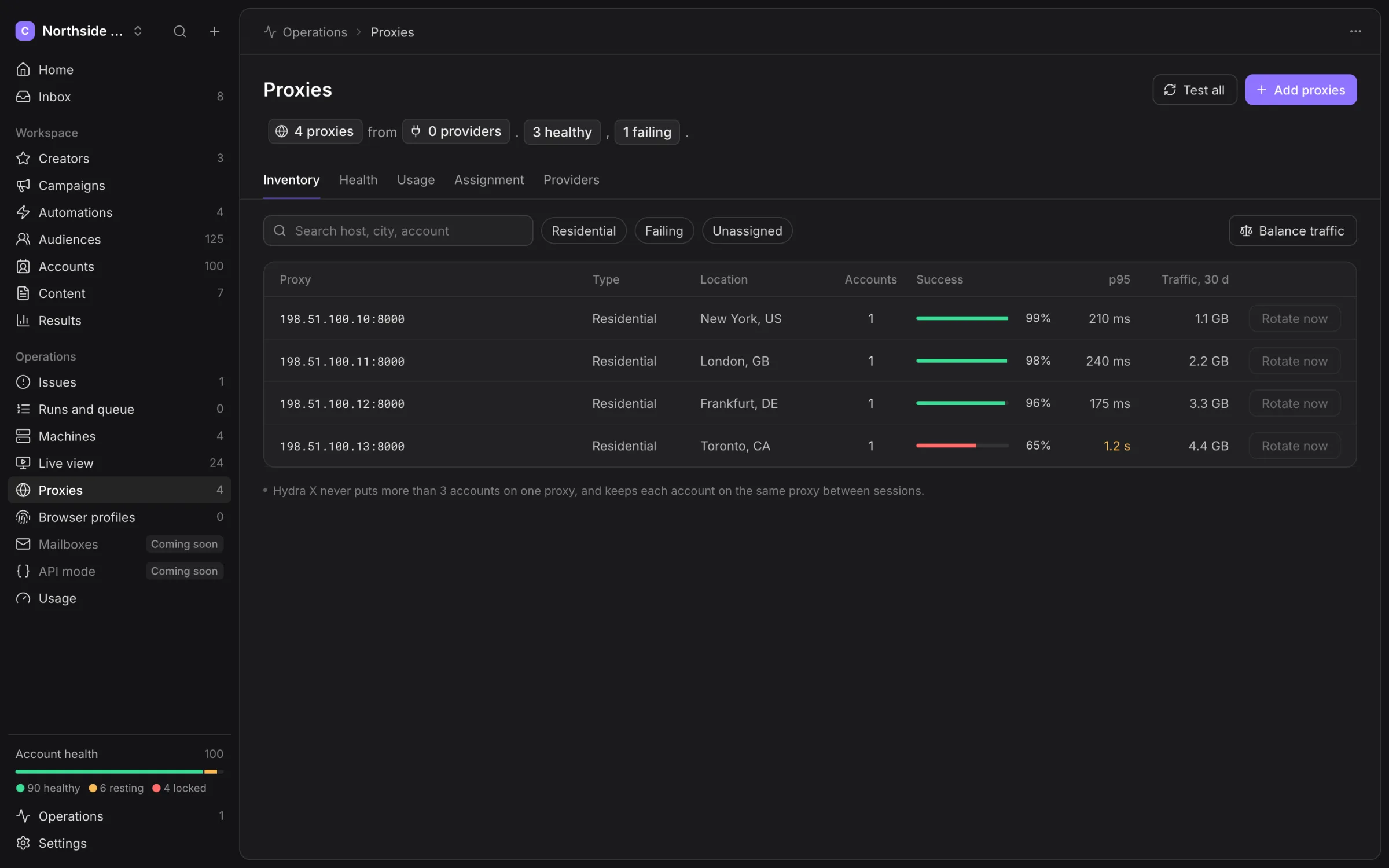
Open Operations → Proxies to manage endpoints your agency supplies. A proxy connects an account’s browser to X; a healthy account cannot work through a failing endpoint.
Add and test proxies
- Choose Add proxies, then Paste a list.
- Paste the provider’s endpoint rows using the format shown in the dialog.
- Choose Test followed by the row count.
- Inspect connection, location and X-load results.
- Choose Add followed by the successful count.
New proxies are unassigned. Use Test all to recheck inventory. Test results describe the latest check, not future availability. Keep proxy passwords out of shared notes and support screenshots.
Read the tabs
| Tab | What to inspect |
|---|---|
| Inventory | Host, type, location, assigned account count, success rate and latency. |
| Health | Failing ranges and recent health checks. |
| Usage | Traffic over the chosen period, heavier accounts and Alert rules. |
| Assignment | Account placement; dragging onto a full proxy is refused. |
| Providers | Connected provider information and saved rotation settings. |
Open a proxy for its details. Use Balance traffic to inspect proposed account moves before applying them. A missing traffic measurement is unknown rather than zero.
Rotate a session
Rotate now is available for a recognised session format or a configured provider template. Rotation changes a proxy session credential; it does not buy traffic or change your X token.
For a provider template, open Settings → Proxy providers. Set Template, Apply to, Lifetime when needed and At most N a day, then choose Save rotation settings. Use the provider’s documented session format rather than guessing one.
Supported placeholders are password, username, session, country and lifetime, enclosed in braces in the template. Include the base credential for the selected field exactly once and include session. Keep passwords out of the username field.
Rotate automatically opts in to session rotation after failed proxy checks. The daily allowance is per proxy, includes manual rotations and resets at midnight UTC.
Open browser profiles wait until they close before receiving the new proxy. Offline machines also wait. A message saying rotation is pending means the browser bindings have not all accepted it yet.
After the bindings update, the next action checks the new session. Inspect health again before treating the proxy as recovered.
Provider and assignment rules
The provider connection can save a gateway, username or zone, and an optional API key. Rotation itself does not require a provider API key. Balance reads depend on the available provider adapter.
Keep creators apart and Match time zone and language to the IP are workspace proxy choices. Removing a provider can leave affected accounts paused until they get another proxy. Review those accounts first.
Purchase traffic on your provider’s site. Automatic top-up is unavailable. For browser session repair, read Accounts; for an offline runner, read Machines.