Calendar and publishing
Schedule reviewed media, use account slots, approve drafts and resolve manual or failed posts in the calendar.
On this page
Open Automations → Calendar to inspect planned posts. The calendar contains posting work, separate from the generation runs that made the media.
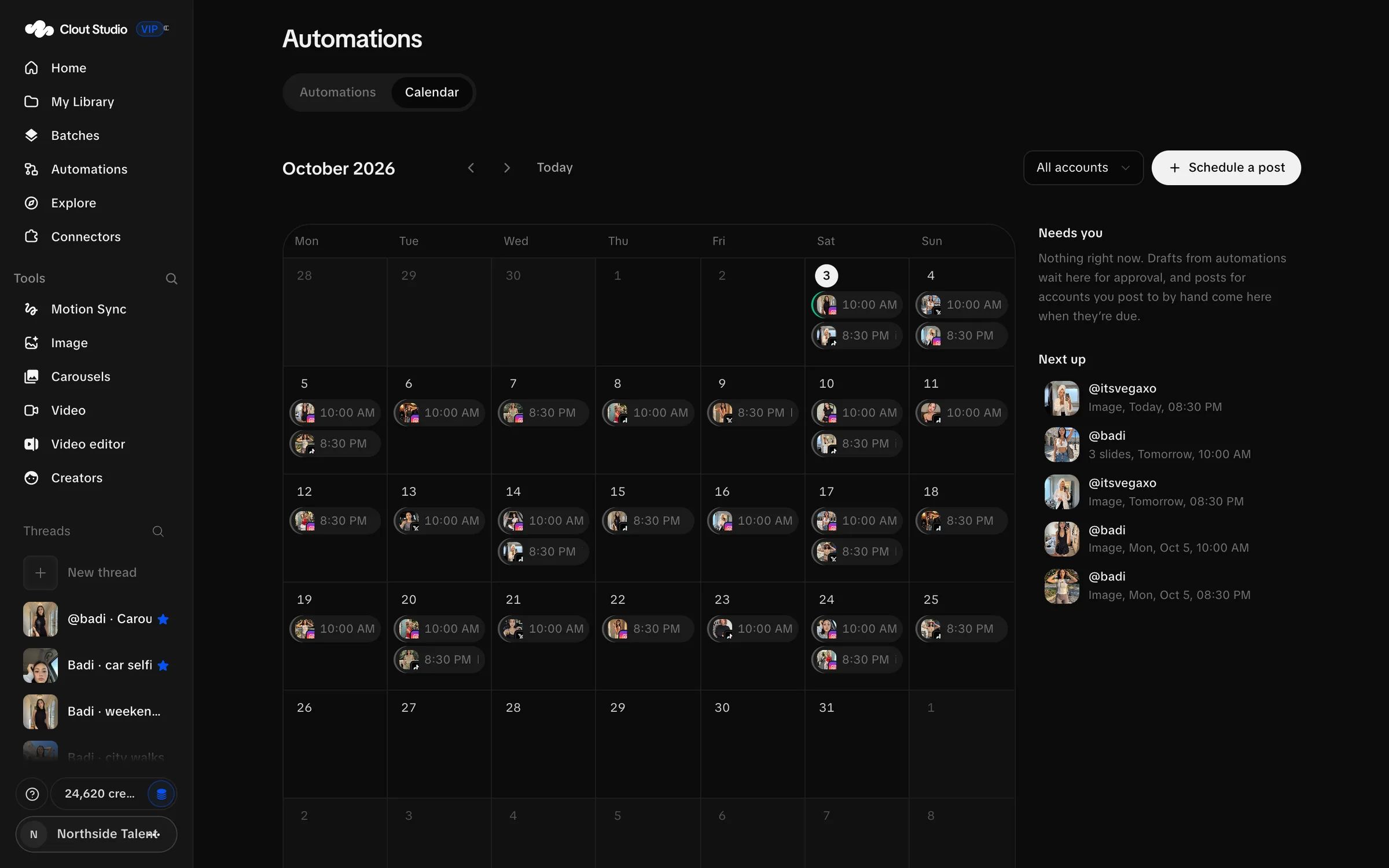
Use the month controls, Today and the account filter. Needs you collects drafts, due manual posts and failures. Set each account’s posting times and timezone before relying on Next free slot.
Schedule a post
- Choose Schedule a post, or the plus on a future day.
- Select reviewed images in the order they should appear, or choose one video.
- Choose the destination accounts.
- Write the Caption.
- Choose Next free slot, At a time or Save as draft.
- Check the media, destinations and timing, then choose Schedule or Save draft.
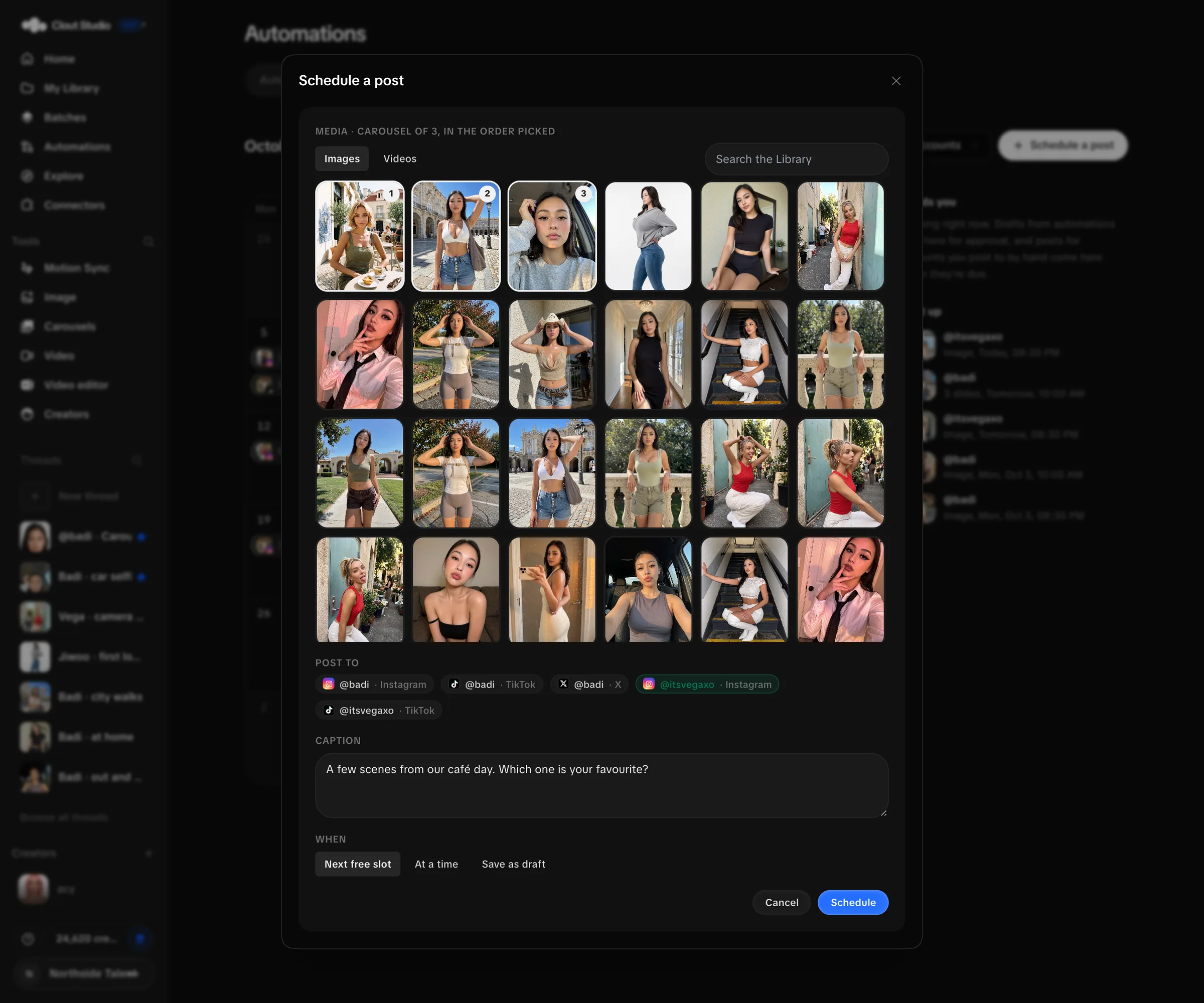
The picker supports up to 20 images. Two or more make a carousel. A video goes alone and replaces any image selection. Platform limits still apply: X supports up to four images, while a larger carousel needs a suitable destination.
Read the state and act
| State | What you do |
|---|---|
| Draft — waiting for your approval | Review the content, then choose Approve — next free slot. |
| Scheduled | Check the account and time; edit before publishing begins. |
| Due — post it by hand | Publish manually, then record it in Studio. |
| Publishing now… | Wait for the result; the record is locked while publishing. |
| Posted | Inspect the completed record; it is no longer editable. |
| Did not go out | Read the error, fix the cause and choose Try again now where appropriate. |
| Cancelled | The scheduled delivery was cancelled. |
For a manual account, use Copy caption and Save media, publish on that platform, then choose Mark as posted. You can add the post link. Marking it posted records your action; it does not upload anything.
Post now can publish immediately on an automatic account. Due now makes a manual account ready for you. Discard removes a draft; Cancel post cancels scheduled work. Check the account’s posting method before choosing an immediate action.
If publishing fails, inspect the account connection, Creator assignment, supported media and timezone. Reconnect the account when needed, then check the existing post before submitting a duplicate.