Workflow canvas
Connect production and delivery nodes, save revisions, run manually or activate a schedule, and inspect failed steps.
On this page
A workflow describes the steps that produce and deliver content. Open Automations → New canvas, or use a builder’s Open on canvas to inspect its graph before running it.
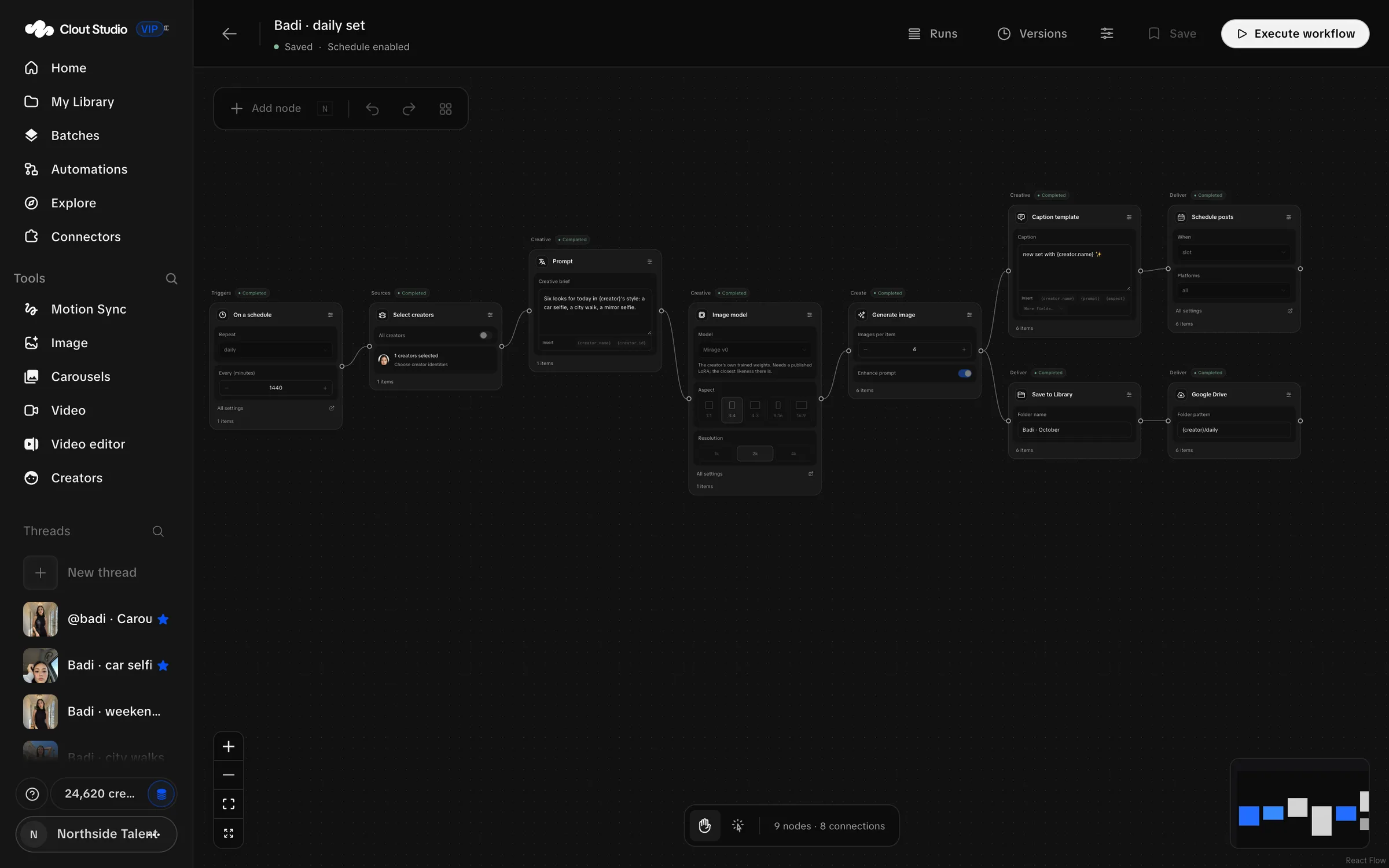
Build and save the graph
Use Add node to open the catalog. Pick the step you need and fill its inline fields. Connect output ports to compatible input ports so the next step receives the intended items.
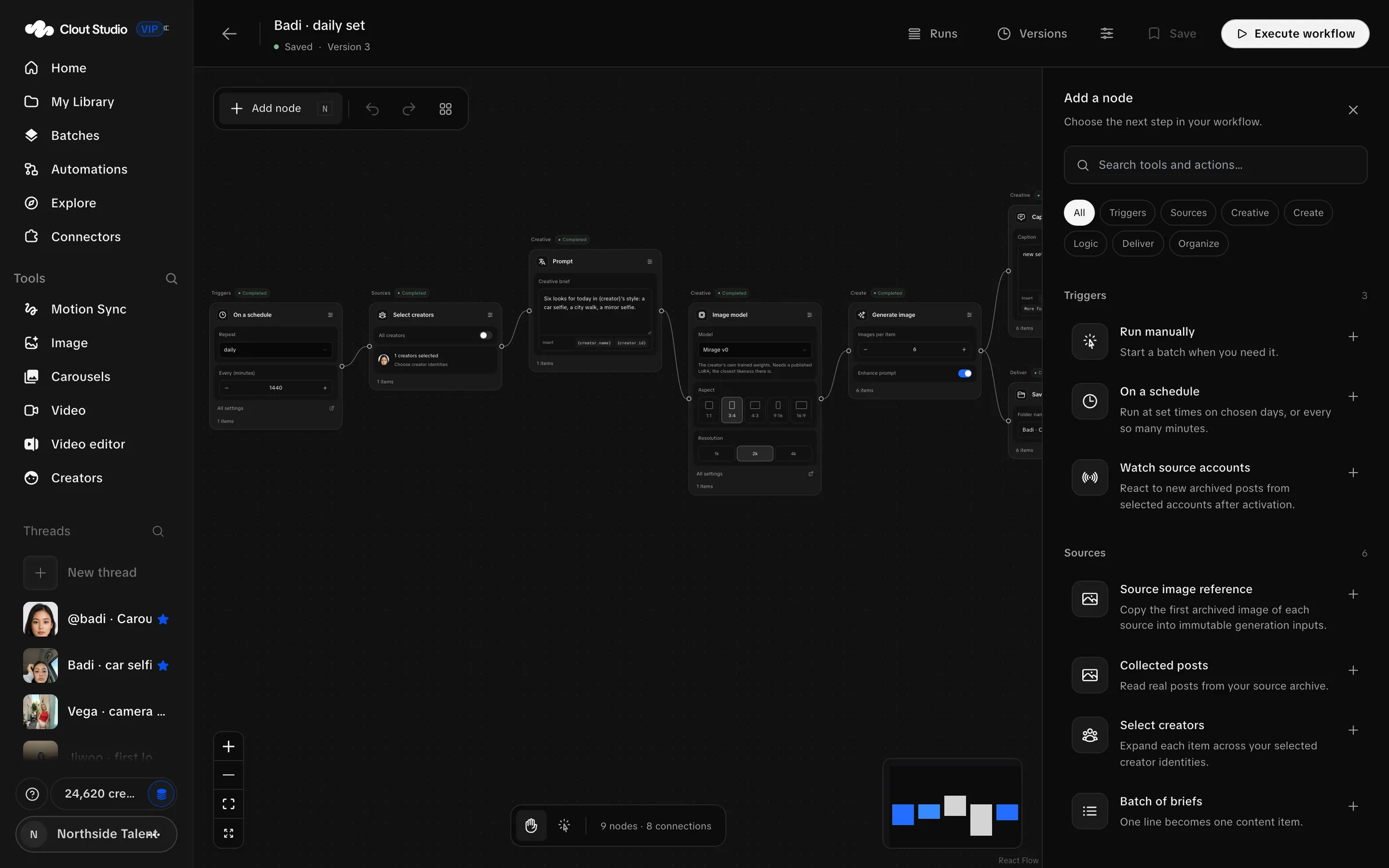
| Family | Steps |
|---|---|
| Triggers | Run manually; On a schedule; Watch source accounts. |
| Sources | Collected posts; Select creators; Batch of briefs; Image reference; Source image reference; Carousel links. |
| Creative | Prompt; Image model; Create variations; Caption template. |
| Create | Generate image; Generate video; Create carousel; Clone carousel; Carousel from an image. |
| Logic | Filter items; Condition; Limit items; Sort; Remove duplicates; Merge branches; Wait. |
| Deliver | Save to Library; Preview outputs; Export manifest; Google Drive; Schedule posts. |
| Organize | Sticky note. |
A practical image graph selects Creators and briefs, supplies a prompt and model, generates images, then saves or delivers them. Check the count at each generation step; a workflow can create multiple paid requests.
Caption template substitutes supplied values; it does not write captions with an AI model. Remove duplicates works within a run. Watch source accounts watches archived new posts after activation.
Run or activate
Choose Execute workflow for a manual run. For a scheduled workflow, inspect the trigger, time and timezone, then choose Activate workflow. Deactivate stops scheduled activation and lets you edit the graph.
Activation can generate and publish on the configured schedule. Check the Creator selection, model, output count, posting accounts and Drive destination before enabling it.
Inspect runs and revisions
Open Runs to inspect execution results and errors. Correct the failed step’s inputs or connection before starting more work. Check the Library and calendar for outputs already produced by a partial run.
Versions keeps saved revisions. If saving reports “Save conflict: download your local graph, then reload to reconcile it”, preserve the local graph before reloading. Another editor’s save is not permission to discard your changes.
For recurring jobs without building the graph directly, use the automation builder. For delivery states, see the calendar.