The referral program
Find your referral code, read the current program terms, and review earnings and manual payout requests.
On this page
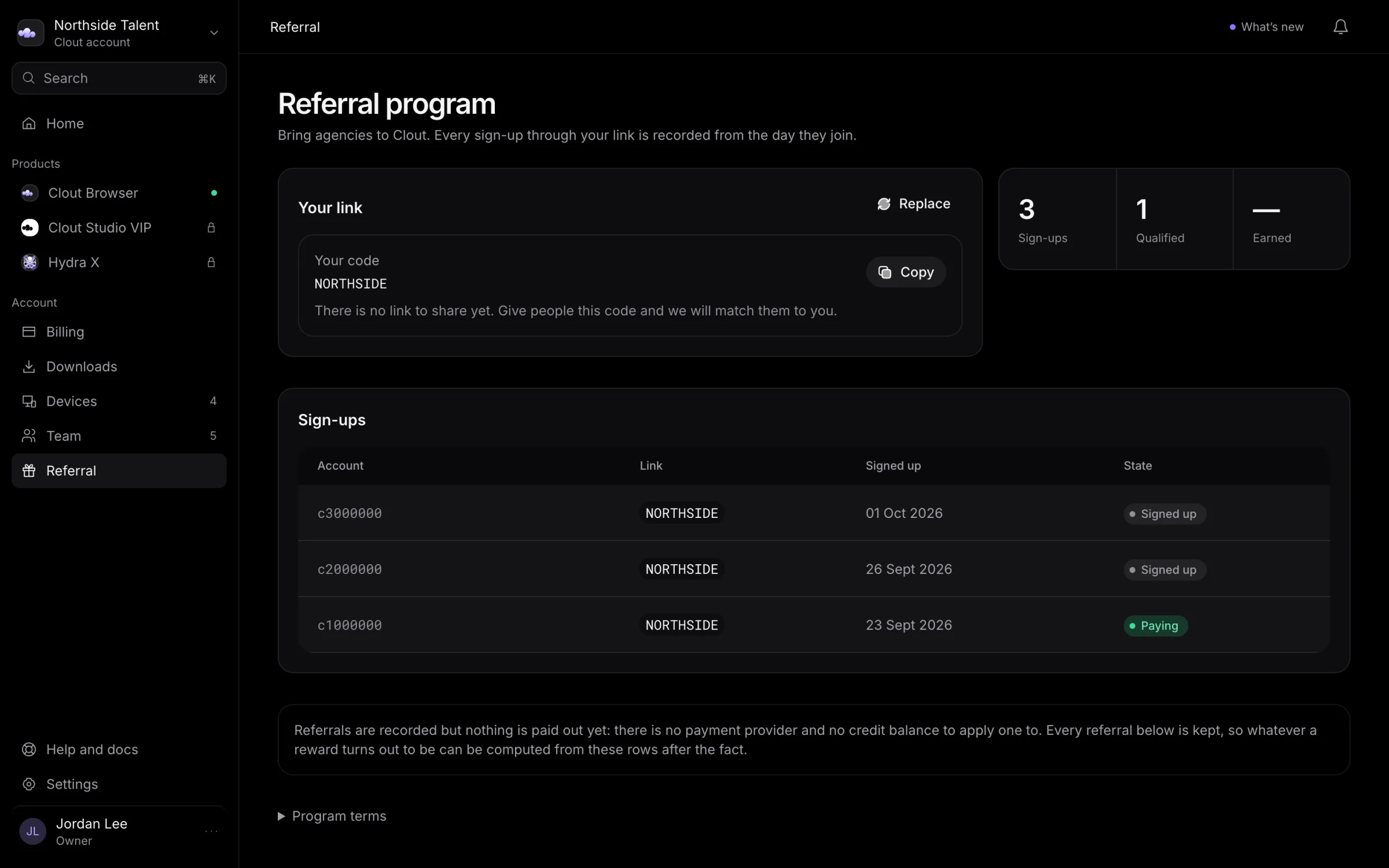
Open Referral to review your own referral activity. Your code and earnings belong to your Clout account, not to the shared workspace's owner.
Read the current terms
Expand Program terms. The rate, earning window, and minimum payout come from the program's current terms. Use those terms rather than a rate quoted elsewhere.
If the page says This has not opened yet, you can still create a code and review recorded sign-ups. You cannot request a payout while the program is closed.
Get your code or link
- Under Your link, select Create my link if you do not already have a code.
- Select Copy beside the displayed link or code.
- If the browser refuses to copy, select the text and copy it yourself.
If the page shows a code without a link, give that code to the person you are referring and talk to us to arrange attribution. Do not construct a link from the portal address.
Select Replace, then confirm Replace it, to retire the old code and create a new one. The old code accepts no new attributions; people already recorded under it still count. Keep that consequence in mind before replacing a code that others are sharing.
Understand the figures
| Figure | Meaning |
|---|---|
| Sign-ups and Qualified | Accounts recorded under your referrals and those recorded as paying. |
| Earned | The recorded earnings total, when earnings are available. |
A sign-up alone is not commission. Review the What you have earned rows for the payment basis, rate, period, and state of each recorded earning.
Request a payout
When the program is open, you have payable earnings, you meet the minimum, and no other request is open, select the Ask for button showing the amount under Getting paid, then confirm Ask to be paid in the dialog.
The request includes all earnings currently ready to request. New earnings wait for a later request while this one is open.
Payouts are sent by hand. Clout will contact you to arrange where the payment goes; the portal stores no payout card or account number and promises no payment date.
A request marked Turned down has its earnings released so they can be requested again. Read the reason on the request. An unpaid earning can also be cancelled manually with a reason; a refund or cancellation by the referred customer does not automatically reverse it in this ledger.
For a missing attribution, earning, or payout question, talk to us.