Account settings
Review your account identity, change the portal theme and diagnostics choice, and find shared browser settings.
On this page
Open Settings → Profile to review the identity you are using. Profile shows the account's sign-in identifier, its opened date, and Account ID.
Check how you sign in
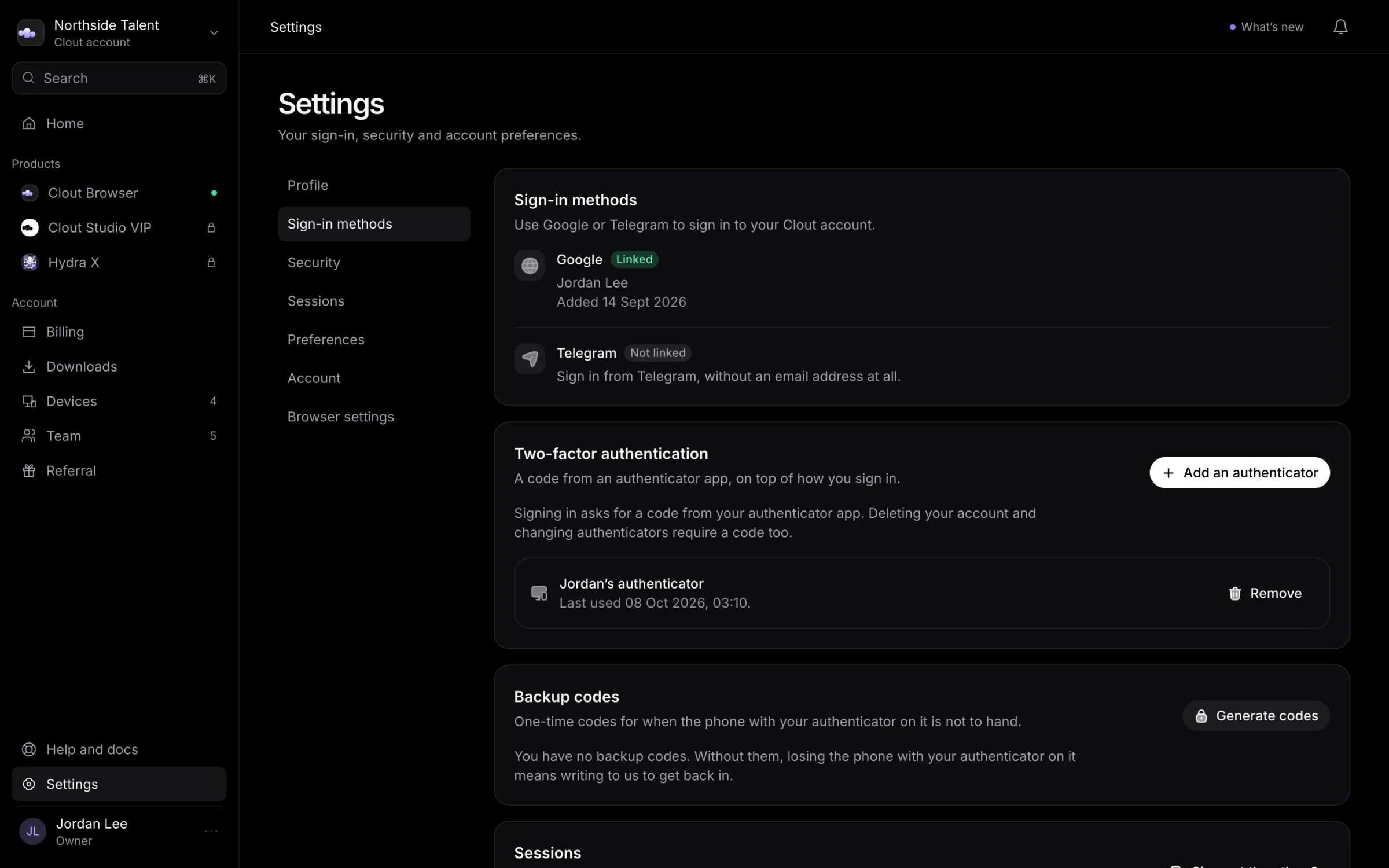
Under Settings → Sign-in methods, Google and Telegram show Linked or Not linked. A linked provider also shows the name it supplied and the date it was added.
Use this list when you need to check that you opened the intended account. If you need a different sign-in method or help with duplicate accounts, talk to us.
For the sign-in flow, see Signing in.
Change the theme
Open the workspace menu at the top of the sidebar and select Light theme or Dark theme. The option names the theme you will switch to. The portal remembers the choice in this browser.
Choose diagnostics
Under Settings → Preferences, switch diagnostics on if you want to send error reports and usage events. They are off by default. Reports contain counts and timings, not profile contents, cookies, proxy passwords, or the sites you visit.
Switch the same control off to stop sending diagnostics. If your browser blocks site storage, the portal cannot remember the choice and sends nothing.
See Privacy and data for the wider data policy.
Shared browser settings
Open Settings → Browser settings for shared Clout Browser controls grouped under General, Data sync, Browser, Startup checks, IP lookup, Security, Platforms, Websites, Multi-device, and Profile icons.
These controls can affect every profile in the workspace. Read each setting's explanation before changing it, and continue in the Clout Browser settings guide for product-specific work.
Switches and choices save when changed. Text lists and number fields use their own Save control. Check for Saved or a refusal beside the setting; there is no page-wide save action. Some accounts can read settings but cannot edit them.
Other account controls
Use Security to set up authenticators and backup codes, Devices to end sign-ins, and Deleting your account before closing it.